
AI Hair Color Changer – Free Virtual Try-On Online
Upload a photo and change your hair color instantly with our AI virtual try-on. Test blonde, pink or bold shades online for free. No sign up required.
Use our virtual hair color try-on as a hair color simulator and AI hair color editor to change hair color on photo in seconds.
Sign in first. Clicking the button opens the login popup.
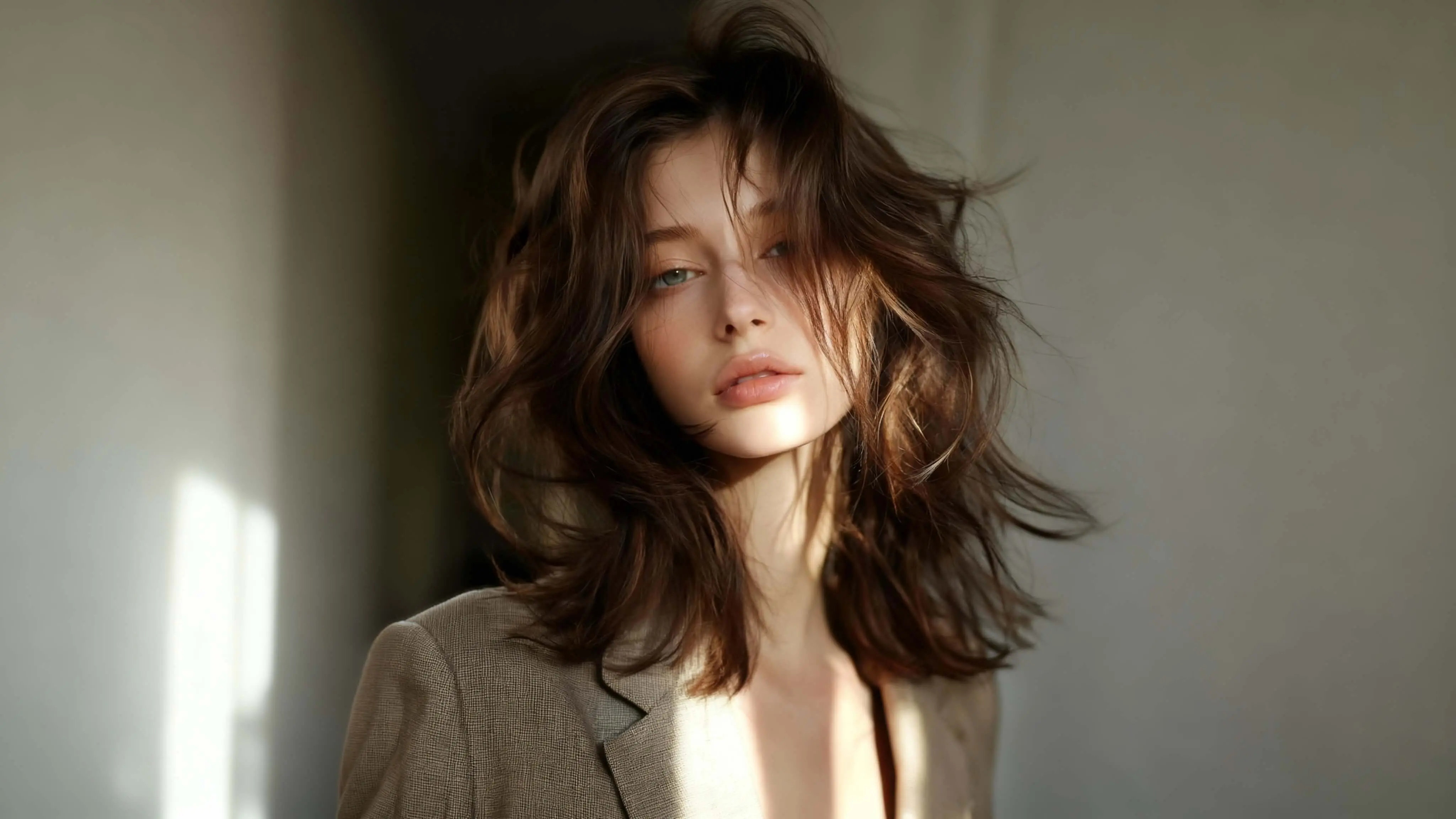
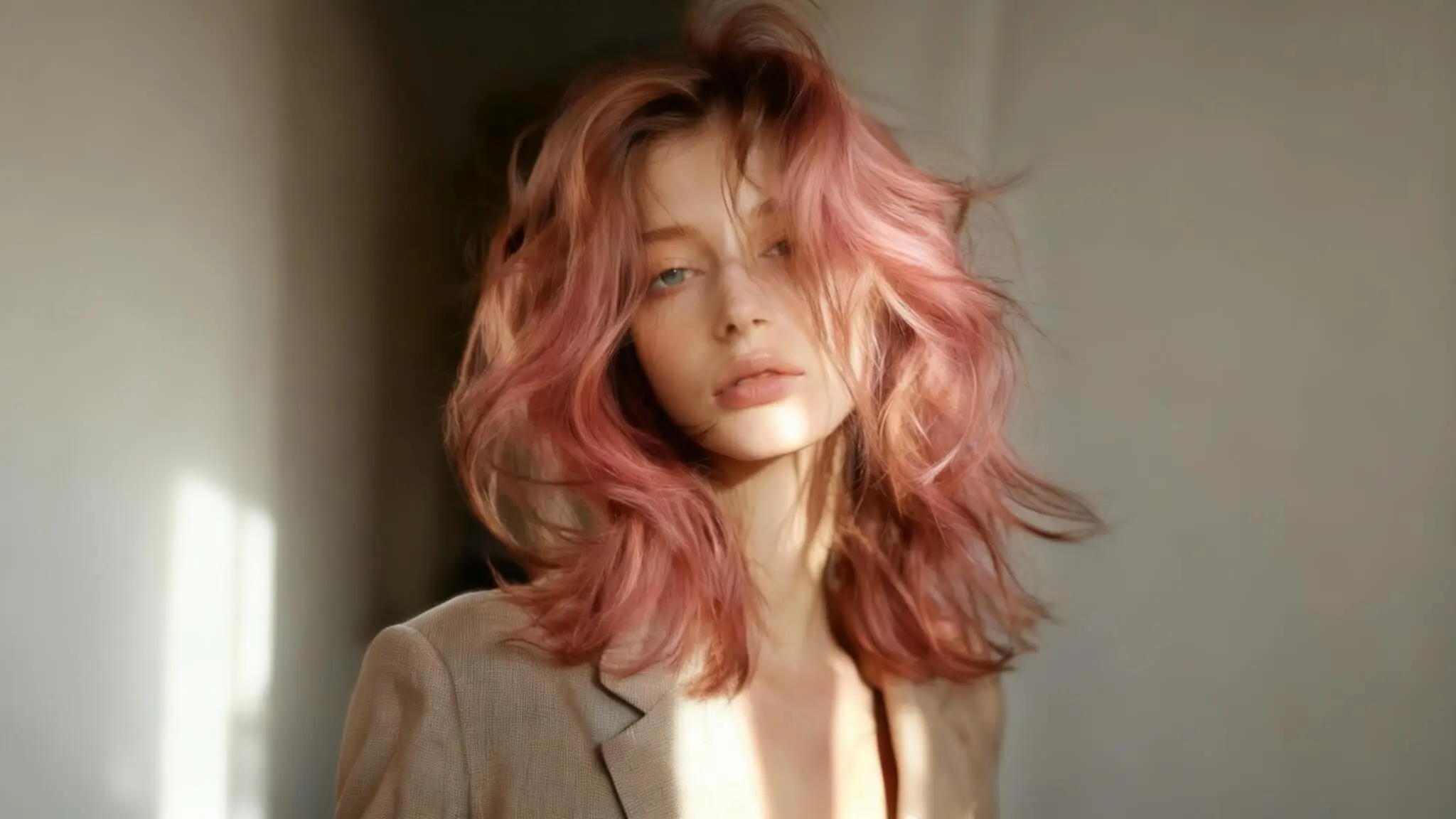
Free AI Hair Color Changer Online
Transform your look instantly with our AI-powered tool. Whether you're testing a new shade, planning a salon appointment, or exploring trend tones, our free experience delivers results in seconds. No downloads, no account setup, and no card required. Upload one photo, choose a tone, and review the output immediately. Our model analyzes lighting, texture, and facial context for natural depth and clean edges. It supports straight, wavy, and curly styles and gives a reliable preview before real dye decisions. Use our hair color changer online for quick checks, then finalize your pick when you are ready. The virtual try-on flow is available whenever you need it. For users who compare tools carefully, this platform also works as an online style test and an AI editor. You can preview shades, run side-by-side reviews, and make better salon decisions. The platform is optimized for fast iteration: upload, compare, export, and repeat. Keep a decision log, share results with teammates, and shortlist finalists without leaving the page.
Change Hair Color Online Instantly
Our AI-powered tool works directly in your web browser. No downloads, no installations, no software required. Simply upload your photo and try different shades in seconds with our virtual hair color changer. This browser workflow is ideal when you need fast shade testing while still keeping realistic detail.
No Registration Required
Use our free hair color changer completely without creating an account. No email required, no password to remember. Start transforming your look immediately with our no sign up hair color tool. The workflow removes signup friction so you can test ideas first and decide later.
Realistic AI-Powered Results
Our advanced AI technology produces natural-looking transformations that match your skin tone and lighting. The realistic results are indistinguishable from real dye jobs. With AI Hair Color Changer rendering, strands, shine, and depth remain believable in both close-up and full-frame photos.
Works on All Devices
Access this tool from anywhere. Fully optimized for mobile devices including iPhone and Android smartphones, as well as tablets and desktop computers. This virtual hair color changer keeps performance stable across screen sizes so your comparisons stay consistent.
Wide Range of Shades
Choose from an extensive palette including classic browns, blondes, blacks, and trend options like pink, blue, purple, silver, and red in our shade simulator. Use the built-in online hair color test logic to preview hair shades side by side before committing.
High-Quality Downloads
Download your transformed photos in high resolution without watermarks. Perfect for social media, profile pictures, or sharing with friends using our editor. Save before-and-after results and refine details later with the AI editor workflow.
How to Change Hair Color with AI
Transform your look in three simple steps with our virtual hair color changer. Each step is designed so first-time users can compare outputs quickly and avoid common mistakes:
Our AI was trained on diverse real-world images to handle different lighting, skin tones, and textures. We respect privacy. Uploaded photos are not stored.
Step 1: Upload Your Photo
Start by uploading a clear photo. For best results, choose good lighting with your face and target area clearly visible. The clearer the image, the more accurate the transformation. Upload takes seconds and processing stays secure. A clean source image gives the model enough detail to preserve roots, highlights, and natural texture.
Step 2: Choose a Shade
Browse our shade library and select the option you want to test with our simulator. The palette includes natural options like dark brown, blonde, black, and gray coverage, plus trend tones such as pink, blue, purple, and red. Our virtual try on hair color view lets you compare each option before deciding. This is where side-by-side preview helps you choose with less risk.
Step 3: Download the Result
Once you've found the right shade, our AI processes your image and applies the selected tone realistically. Download the result in high resolution without watermarks. Perfect for social media or as a reference for your next salon visit. You can run unlimited tests with our free hair color changer. Many users run one final preview check here to compare before-and-after versions before they confirm.
How Our AI Hair Color Technology Works
Our system starts with deep-learning segmentation to identify precise strand boundaries, roots, and visible texture so tone changes stay accurate at a pixel level.
Our AI hair color simulator combines an intuitive hair color editor workflow with advanced color blending technology, so each transformation includes natural lighting adjustment and a realistic before and after preview.
Intelligent lighting detection then maps shadows, highlights, and exposure balance, so edits match the original scene instead of looking flat.
Realistic natural color compositing blends the selected shade with existing detail and contrast, preserving depth and delivering photorealistic output.
The full pipeline is optimized for speed, consistency, and repeatability, so users can compare multiple outputs and make confident decisions quickly.
Why Our AI Hair Color Changer Is Better
See how our free hair color changer compares to other tools online. Our platform focuses on faster decisions, cleaner exports, and more accurate previews. If you need a dependable hair color changer online workflow, this section explains why it performs well for daily use and team collaboration. Many users test one style elsewhere, then repeat the same test here to compare detail retention. Stable processing, predictable UI behavior, and clear export naming help teams review versions without confusion. In practice, users stay for realistic results, instant preview feedback, safe photo processing, and a strict no data storage approach.
No Sign Up Required
No Watermarks on Downloads
Instant Processing Speed
Truly Free Access
Privacy and Security
Core Use Cases for Virtual Hair Try-On
These three practical scenarios cover the highest-intent use cases and help users make faster, more confident decisions.
Try hair colors before dyeing. Compare natural and bold options before a salon appointment, shortlist your top picks, and share references with your stylist to reduce guesswork. Many users test hair color before salon visit so they can walk in with a clear direction.
Preview bold shades for social media. Test trend-forward looks for campaigns and short videos, then keep the strongest versions for publishing, approvals, and creative planning. It is a practical way to experiment with bold fashion colors without committing to permanent dye first.
At-home virtual hair try-on. Run quick comparisons from your phone or desktop at home, save before/after references, and revisit your final options later with a consistent workflow. You can compare different shades side by side and keep only the versions that match your style goals.
FAQs About AI Hair Color Changer
Find answers to common questions about our free online tool:
Is this AI hair color changer really free?
Can I use it without signing up?
Does it work on dark hair?
Is the result realistic?
Can I download high-quality images?
Does it work on mobile devices?
Can men use this tool?
How long does processing take?
Can I preview different hair colors before dyeing?
Is the AI hair color simulator accurate?
Latest Articles
Learn how to test hair colors online, choose the best AI hair color changer, and preview new looks before dyeing.
Best AI Hair Color Changer: How to Choose the Right Tool
Discover the best AI hair color changer tools online. Compare features, realism, speed, and ease of use to find the right virtual hair color try-on.
Change Hair Color Online Free: Step-by-Step AI Hair Try-On Guide
Change hair color online free using AI. Upload your photo, try different shades instantly, and preview your new look with no sign-up required.
What Is AI Hair Color Changer?
AI Hair Color Changer is an online virtual try-on tool that lets you upload a photo, test different shades instantly, and preview realistic hair color results before dyeing.
Ready to Change Hair Color Online?
Start now with our free virtual try-on tool. If you want a subtle refresh or a bold new look, the platform is ready in seconds. No sign up, no credit card, and unlimited usage. Use our hair color changer online to preview options before your next salon visit, keep before-and-after references, and review results on phone and desktop before final approval. Teams can standardize reviews with a simple rubric: framing, exposure, contrast, realism, and audience fit. Short notes and version tags make future updates faster. Once your new look is ready, bring the still image to life with this AI photo to video converter.