Virtual Hair Color Try On: See Your New Look Before Dyeing
Changing your hair color sounds exciting right up until you have to choose the actual shade. That is usually the hard part. A color can look amazing on a model, a creator, or even a friend, then feel completely wrong once you picture it on your own face. That is why a virtual hair color try on has become such a useful step before dyeing. Instead of relying on guesswork, you can upload your photo, compare a few shades, and see how the change looks in a way that feels personal rather than theoretical. It does not replace a stylist or real-world dye knowledge, but it does give you a much clearer starting point. If you want to avoid rushing into a color you may regret a week later, previewing your look first is one of the smartest ways to narrow the decision.
What Is Virtual Hair Color Try On?
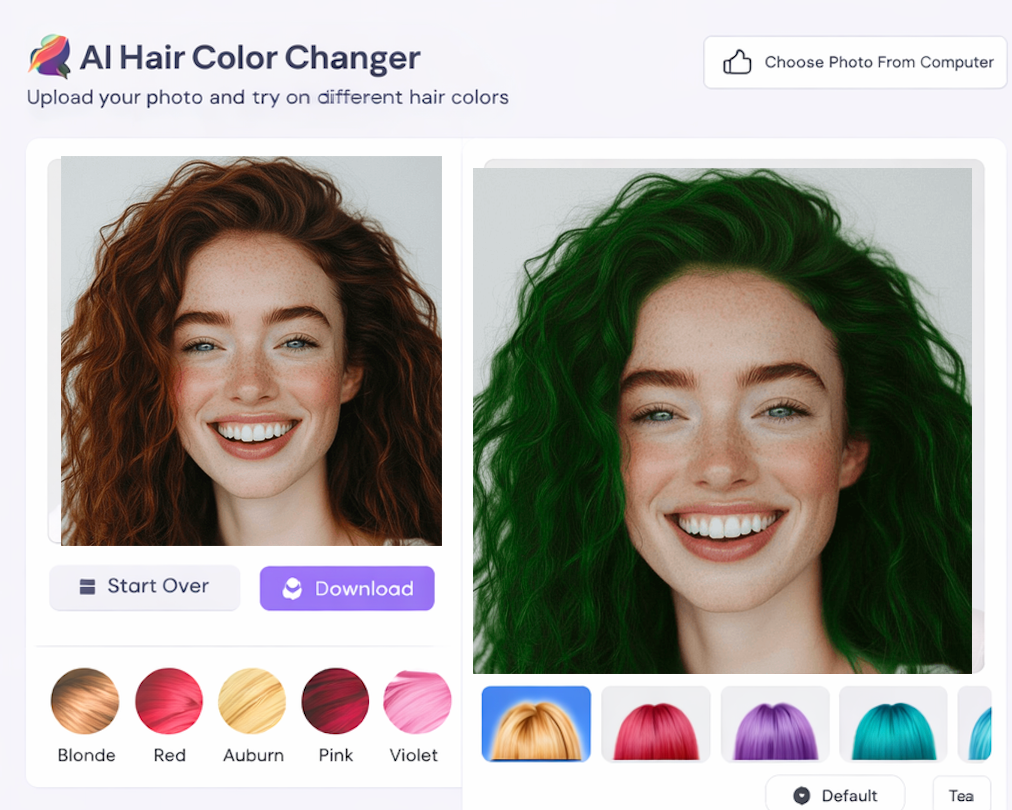
Virtual hair color try on is a photo-based preview process that lets you see different hair shades on your own image before you make a real color change. Instead of imagining how copper, dark brown, ash blonde, or burgundy might look, you can test those directions visually and compare them side by side.
Modern tools do more than place a flat filter on top of the hair area. The better ones preserve highlights, shadows, and natural depth so the result feels closer to a believable preview. That matters because people do not usually need a perfect scientific prediction. They need a realistic enough preview to answer practical questions such as whether a shade looks too harsh, too warm, too dull, or surprisingly flattering.
If you want the background on how these tools work, start here: What Is AI Hair Color Changer.
How To Use Virtual Hair Color Try On
The process is simple, but a little structure makes the result much more useful. Start with one clear photo where your hair is visible and the lighting is reasonably even. You do not need a studio portrait, but a blurry screenshot or a heavily filtered selfie usually leads to weaker previews.
Once you upload the image, do not jump straight into the wildest color available. Begin with one or two shades close to your current hair color, then test a warmer option, a cooler option, and one bolder direction if you are curious. That gives you a useful comparison set instead of a random pile of results.
It also helps to look for patterns instead of hunting for a perfect result. You may notice that cooler tones make your features look sharper, or that richer browns feel more natural than lighter blondes. Those observations are more valuable than treating a virtual hair color try on like a final salon prediction.
If you want a more detailed walkthrough of the upload-and-test workflow, this guide covers it step by step: Change Hair Color Online Free.
Best Tools For Virtual Hair Color Try On
The best tools for virtual hair color try on are not always the ones with the loudest marketing. What matters more is whether the preview looks believable enough to help you decide. A good tool should keep the shape of the haircut intact, avoid obvious spillover onto skin or background, and let you test multiple shades without too much friction.
Speed also matters more than people expect. When a tool is slow or awkward, you stop comparing options properly. A strong workflow lets you run several looks in one short session, then come back later and judge them with fresh eyes. That second look is often when you realize which shade actually suits you.
Another useful filter is whether the tool helps you make a real decision. Some previews are flashy but not informative. Others are less dramatic but better for comparing similar shades, which is usually the real challenge before dyeing.
If you want to compare tools and understand what separates a solid preview from a weak one, read: Best AI Hair Color Changer.
Tips Before Changing Hair Color
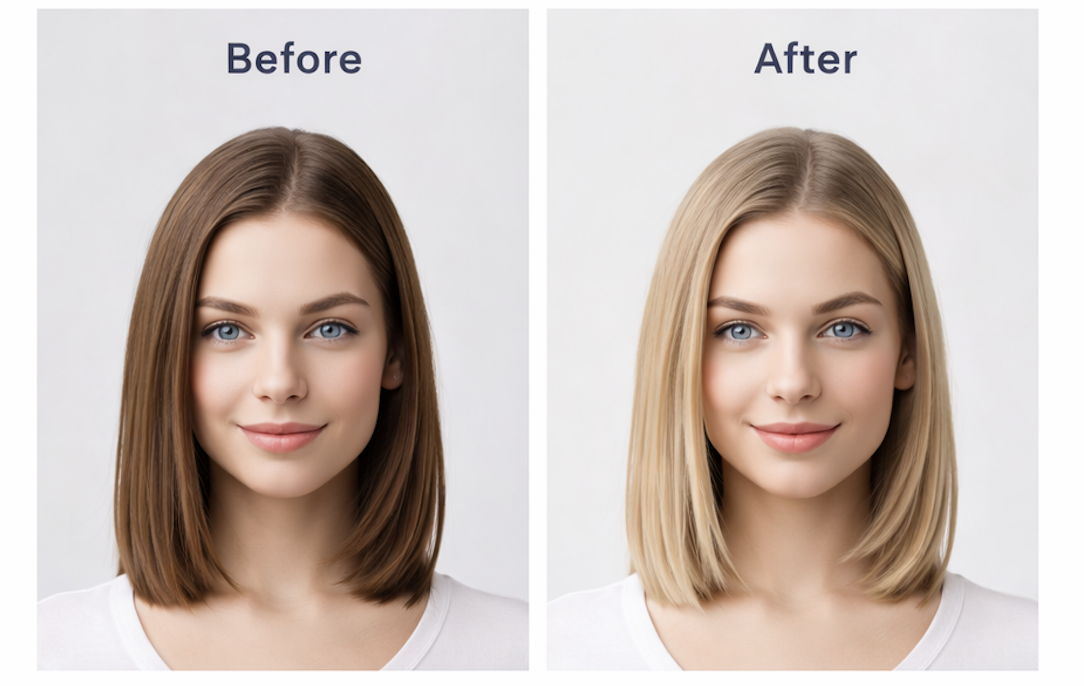
The first tip is to compare color families, not just individual shades. Most people are not actually deciding between twelve separate colors. They are deciding between warmer and cooler, lighter and deeper, softer and more dramatic. Once you identify the family that fits you, the final choice becomes easier.
Second, use your own face as the reference point, not someone else's trend photo. Inspiration can still be helpful, but your skin tone, contrast, haircut, and brow color all change the way a shade reads. A virtual hair color try on is most valuable when it brings the decision back to your own features.
Third, keep expectations realistic if your hair is very dark, heavily processed, or previously dyed. A preview can show direction well, but real salon outcomes still depend on your starting point. Think of the try-on as a visual planning tool, not a chemical guarantee.
Finally, do not make the decision in one sitting if you are planning a major change. Save two or three versions, step away, then review them again later. The shade that feels exciting in the first minute is not always the one you still like the next day.
FAQ
Is virtual hair color try on accurate?
It is accurate enough to help with direction and comparison, especially if the source photo is clear. It may not match a salon result exactly, but it is very useful for seeing which tone family feels right on you.
Can I use virtual hair color try on before a salon visit?
Yes. In fact, that is one of the best use cases. Bringing a few realistic previews to a stylist makes the conversation more concrete and helps reduce vague color descriptions.
What photo gives the best result?
Use a photo with visible hair, even lighting, and minimal blur. Clean input almost always leads to a more believable preview.
Should I test bold colors too?
Yes, but after you test more realistic options first. It is easier to judge a dramatic color once you have a baseline for what natural, warm, cool, light, and dark versions look like on your face.
Conclusion
Virtual hair color try on is useful because it turns a vague beauty decision into something you can actually evaluate. Instead of guessing whether a shade will suit you, you can see how it changes your look, compare it with nearby options, and walk into a salon or dye decision with more confidence.
The biggest advantage is not novelty. It is clarity. When you preview shades on your own photo, you stop making the choice in the abstract. You start making it based on how the color works with your actual features, which is what matters most in the end.