Most people do not start using AI visual tools because they want another novelty demo. They start because they have a visual decision to make. A creator wants to test a look before filming. A stylist wants a clearer reference before a client appointment. A small brand wants campaign visuals without spending days on production. In those moments, a static AI image is often the fastest way to understand direction.
But the workflow rarely stops there anymore. Once a look, color, or concept feels right in a still image, the next question is obvious: how would this move? That is where AI video generation begins to matter. The shift is not simply from image tools to video tools. It is from single-output editing to a fuller creative workflow where a photo, a prompt, and a visual reference can become the starting point for motion, storytelling, and short-form content.
What Is an AI Image to Video Creative Workflow?
An AI image to video creative workflow is a process where you first use image tools to define the look, then use video tools to turn that direction into something more expressive. The image stage answers questions like color, style, composition, and visual identity. The video stage adds movement, pacing, camera behavior, and scene context.
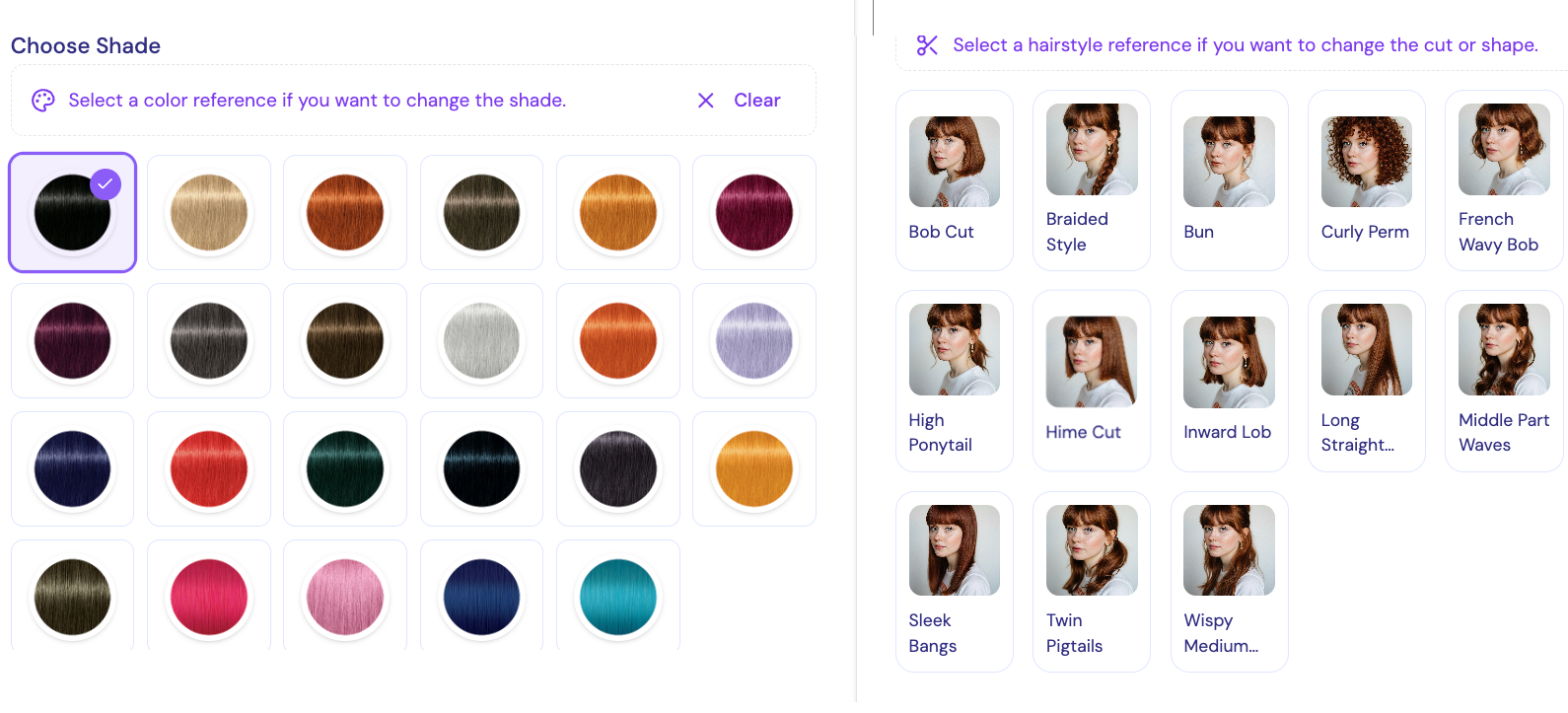
For a hair color or appearance workflow, this usually starts with a practical preview. You might test copper, ash brown, rose gold, or a darker brunette tone on your own photo. That image is not just a final output. It can become a reference for content planning, salon discussion, social media direction, or a short video idea.
This is why AI image editing and AI video generation should not be treated as separate categories. In real use, they often sit next to each other. Image tools help you choose the look. Video tools help you understand how that look could live in a scene.
If you are still learning how photo-based try-on works, this background guide explains the basics clearly: What Is AI Hair Color Changer.
How To Move From AI Image Editing to AI Video Generation
The best workflow starts with restraint. Instead of generating random videos immediately, begin by creating a stable image reference. For hair color, that means using a clear portrait, testing a small set of realistic shades, and choosing one or two results that actually suit the face, lighting, and style.
After that, define the video goal. A video for personal style comparison does not need the same prompt as a video for a product ad. A creator might want a soft camera move, natural lighting, and a simple head turn. A brand might need a more structured scene with product context, background motion, and a stronger visual hook.
Then write the video prompt around the job, not around vague effects. A weak prompt says, "make this image cinematic." A better prompt describes the subject, motion, environment, light, and intended use. For example, a creator testing a new hair color might ask for a subtle close-up shot with natural movement and clean daylight, rather than a dramatic fantasy scene that no longer helps with the original decision.
If your goal is to test hair color first before building any larger content idea, this practical walkthrough is useful: Change Hair Color Online Free.
Best Tools For Building the Workflow
The best tools are the ones that respect the stage of the decision you are in. At the beginning, speed matters. You need to compare several visual directions without friction. A good AI hair color tool should let you upload a photo, test shades quickly, and keep the result realistic enough for judgment.
At the next stage, control matters more. Once you move into video, a tool should accept richer instructions and ideally support more than one kind of input. Text-only video generation can be useful for broad concepts, but visual workflows often need more precision. A reference image, a written prompt, an audio cue, or even a short existing clip can all help the model understand what you want.
This is where multimodal AI video tools are becoming more interesting. They are not valuable only because they make moving images. They are valuable because they can connect different pieces of creative intent. If your goal is to test this kind of multimodal video workflow in practice, Gemini Omni Flash AI video generator is a useful starting point for exploring Gemini Omni Flash video generation online.
For the image-editing side of the workflow, the same principle applies: choose tools by output quality and decision value, not by feature count. This comparison guide gives a good framework for evaluating realism, speed, and usability: Best AI Hair Color Changer.
Tips Before Changing Hair Color and Turning It Into Content
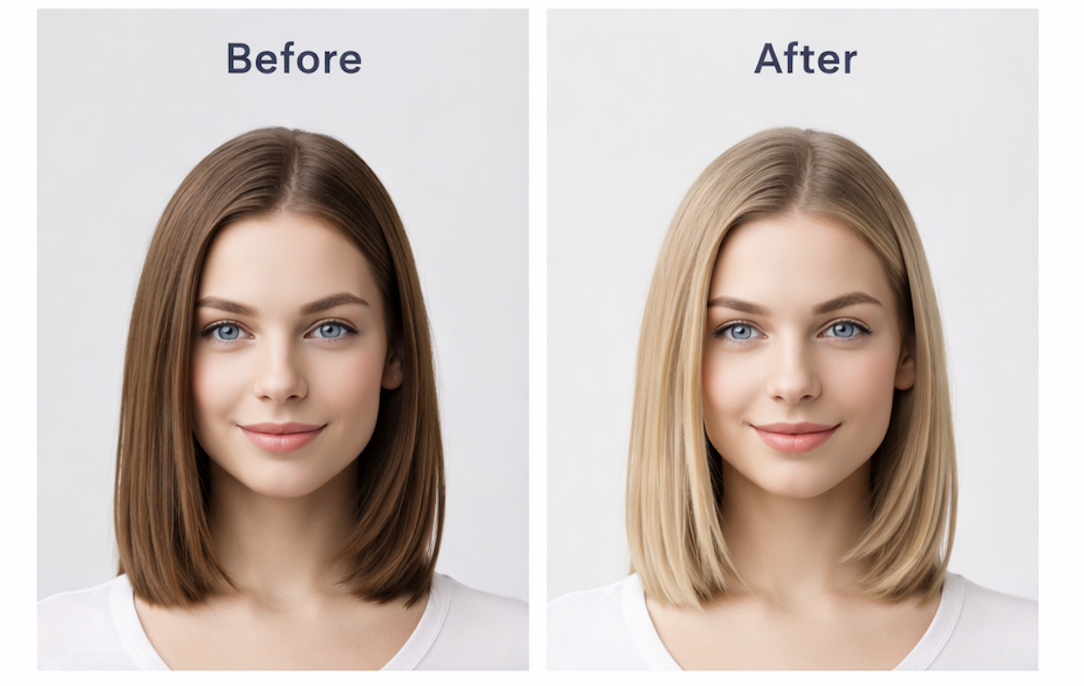
Before changing hair color or turning a look into content, separate personal decision-making from creative production. Those two goals overlap, but they are not identical. A shade that looks exciting in a stylized video might not be the best real-world choice for everyday wear. A shade that feels slightly quiet in a still preview might work beautifully once motion, light, and styling are added.
Start with one realistic reference photo. Avoid heavy filters, harsh shadows, and low-resolution screenshots. If the image stage is weak, the video stage will usually amplify the problem instead of fixing it.
Compare color families before judging individual shades. Warm brown versus cool brown is a more useful decision than picking between ten tiny variations. Once the family feels right, you can refine the exact look.
Also think about where the final asset will be used. A salon reference, a profile image, a short social video, and an ad concept all need different levels of polish. AI tools work best when the output has a clear job.
Finally, keep the workflow reversible. Save the original photo, the strongest image previews, and the prompts you used. If a video output looks close but not right, you will have a better chance of adjusting the prompt instead of starting over.
FAQ
Is AI video generation replacing AI image editing?
No. AI video generation is more likely to extend image editing than replace it. Image tools are still better for fast comparison, visual planning, and low-friction decisions. Video tools become useful once you already know the direction and want motion, storytelling, or content-ready output.
Why should hair color tools care about AI video?
Hair color is a visual decision, but many users do not stop at a still image. Creators, stylists, and small brands often need visuals for posts, reels, tutorials, and campaign ideas. A realistic still preview can become the reference layer for richer video content.
Should I generate a video before choosing a hair color?
Usually no. Choose the color direction first with a still image, then use video generation to explore how that look works in motion. This keeps the workflow cleaner and avoids wasting time on videos built around a weak visual choice.
What makes a multimodal AI video tool useful?
A multimodal tool is useful when it can combine different signals, such as text prompts, image references, audio direction, or video input. That matters because creators often know what they want visually before they can describe every detail in words.
Conclusion
The important shift is not that AI video is newer than AI image editing. The important shift is that visual creation is becoming more connected. A single image can now serve as a test, a reference, a planning asset, and the first step toward motion-based content.
For hair color and appearance workflows, that is especially practical. You can preview the look first, decide whether it suits you, then use that direction for more expressive creative output. The strongest AI tools will not be the ones that produce the loudest demo. They will be the ones that help users move from uncertainty to a usable visual result with less waste.